
Nerdy Joe is the content site of Koldify, a done-for-you cold email agency. We run client campaigns on Smartlead, so this review comes from daily use.
Smartlead is one of the best cold email platforms for agencies and high-volume senders who need to run many mailboxes, many campaigns and many clients from one account at a predictable price. Its strengths are unlimited mailbox connections, a vetted warmup network, a unified inbox and agency tools like white-label and client workspaces. Skip it if you want the simplest possible interface, if you send a few hundred emails a week from one or two inboxes, or if you need a support team that answers fast every time.
Disclosure: Links to Smartlead in this article are affiliate links, so we may earn a commission if you sign up, at no cost to you. Nerdy Joe is not a Smartlead partner or certified vendor. We are a paying customer, and our agency, Koldify, sends client campaigns on Smartlead and other platforms. The commission does not change what we say, including the weaknesses. Read our full affiliate disclosure.
Start a Smartlead free trial and connect a few mailboxes before you pick a plan. The trial needs no credit card.
Prefer not to run it yourself? Koldify, the agency behind Nerdy Joe, builds and runs cold email campaigns on Smartlead and other platforms for B2B teams. If you would rather skip the setup, book a call with David.
Quick verdict
| Best for | Cold email agencies, lead gen teams and founders sending at volume across many mailboxes |
| Price | From $39 per month, or $32.50 per month billed annually (as of October 2026) |
| Free trial | 14 days, no credit card, 2,500 sends and 1,250 contacts |
| Biggest strength | Unlimited mailbox connections with rotation, warmup and one inbox for every reply |
| Biggest weakness | Learning curve, stacking add-ons, and support and billing complaints |
| Our rating | Nerdy Joe's rating: 4.3/5 |
Here is the short scorecard, based on how we use it day to day:
- Sending at volume: strong. This is what Smartlead was built for.
- Warmup and deliverability tools: strong, with paid upgrades for isolated servers and placement testing.
- Agency features: strong. White-label, client workspaces and multiple API keys are hard to beat at this price.
- Ease of use: fair. Powerful, but busier than some rivals.
- Lead data: fair. SmartProspect is new and should be tested before you rely on it.
- Support and billing: mixed. Reviews are split.
Use Smartlead if you run cold email for several clients, send from dozens of mailboxes across many domains, or want an API and integrations with Clay, n8n or a CRM.
Skip it if you send small volumes from one inbox, need native LinkedIn steps, or need fast, hands-on support.
What Smartlead is
Smartlead is a cold email sending platform built for high volume across many mailboxes. Its core features are mailbox rotation, warmup and a unified inbox. Over time it has added prospecting (SmartProspect), calling (SmartDialer), AI agents (SmartAgents) and email infrastructure (SmartSenders and SmartServers).
The company was founded by Vaibhav Namburi and is based in Sydney, Australia. Third-party sources date it to 2022, and it is bootstrapped, with no outside funding. Smartlead grew out of an earlier product, SmartWriter, and traces of that history still show in its help center.
Smartlead says it is "Trusted by 100,000+ Businesses," a vendor claim rather than an audited number. GetLatka estimated about $14M in revenue and 93 employees as of June 2024. Agencies are its core audience, which shows in pricing by contacts and sends rather than seats.
Smartlead pricing explained (as of October 2026)
Smartlead overhauled its pricing in January 2026. The figures below come from Smartlead's pricing page, its pricing.md file (stamped accurate as of July 28, 2026) and its help center, cross-checked against several 2026 reviews. Always confirm on Smartlead's pricing page before you buy, because prices and limits change.
Smartlead plans and prices
| Base | Pro | Unlimited Smart | Unlimited Prime | |
|---|---|---|---|---|
| Monthly | $39 | $94 | $174 | $379 |
| Annual (per month) | $32.50 | $78.30 | $144.50 | $314.60 |
| Contacts stored | 2,000 | 30,000 | Unlimited | Unlimited |
| Email sends per month | 6,000 | 90,000 | 150,000 | 500,000 |
| Verified prospect emails | 2,000 ($59/mo add-on) | 30,000 ($59/mo add-on) | 50,000 included | 170,000 included |
| Warmup pool | Foundation | Growth | Premium | Premium |
| CRM, API and webhooks | No | Yes | Yes | Yes |
| Client workspaces | No | $29/mo each | $29/mo each | 3+ included |
| Dedicated servers | $39/server | $39/server | $39/server | 3 included |
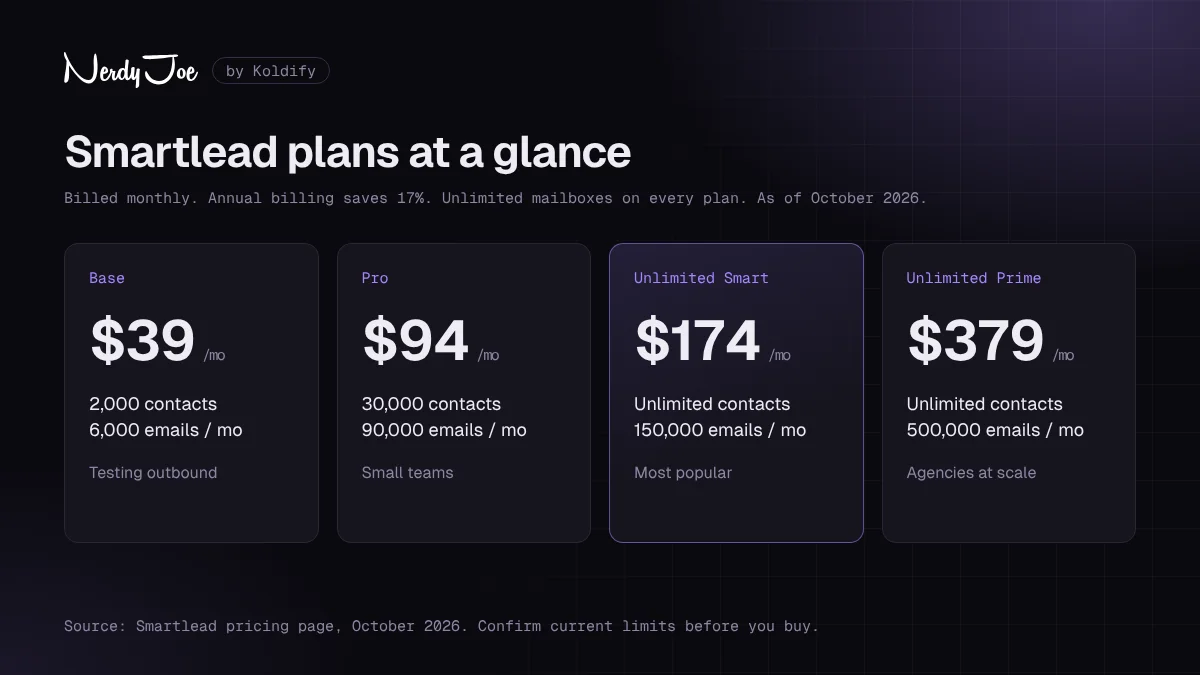
Smartlead pricing at a glance, as of October 2026. Confirm current limits on Smartlead's pricing page before you buy.
Annual billing saves 17%. Smartlead labels Unlimited Smart "Most Popular," and both Unlimited plans are eligible for the Ultra Premium warmup pool. Prime adds a dedicated manager and a private Slack channel. When we checked, the pricing page also showed a 50% off first-month banner.
One number is disputed. Smartlead's own pages list Prime at 500,000 sends per month, while one third-party review says 510,000. We use Smartlead's figure.
See current Smartlead plans and match the sends and contact limits to your real monthly volume.
Contacts vs email credits
Smartlead counts two separate things. A contact (lead) credit is a unique prospect address stored in your account. An email credit is each email sent.
This matters on Base and Pro. According to Emelia's October 2026 pricing breakdown, the contact limit there is total storage, not monthly, and it never resets. To make room, you delete old leads, and one Capterra reviewer did exactly that to avoid moving up a tier. Steady outbound hits the Pro ceiling of 30,000 contacts fast, which pushes many teams to Unlimited Smart.
The $59 add-on: what it actually is
Reviews disagree on what the $59 per month Base and Pro add-on buys. Smartlead's pricing.md, its help center and the SmartProspect page all describe it as the verified prospect email (SmartProspect) add-on. Some competitor reviews instead call it a premium warmup pool fee.
The confusion probably comes from the pricing page, which groups the $59 line with the "Foundation" and "Growth" labels that are also the warmup pool names. We go with Smartlead's own documentation: it is the lead data add-on. If warmup pool access matters to your decision, ask Smartlead to confirm before you pay.
Add-ons and what they cost
The plan price is rarely the whole bill. These are the main add-ons, per Smartlead's pricing page:
| Add-on | Price (as of October 2026) | What it does |
|---|---|---|
| SmartSenders mailboxes | $3.99 to $9 per mailbox per month | Buy Google, Outlook or SMTP mailboxes inside Smartlead |
| SmartSenders domains | $13 to $19 per domain per year | Buy sending domains inside Smartlead |
| SmartServers | $39 per server per month | Dedicated servers with a dedicated IP |
| Client workspaces | $29 per workspace per month | White-label workspaces for agency clients |
| SmartDelivery | $49, $174 or $599 per month | Inbox placement and spam testing |
| Email verification | Packs from $32 | Verify lists before sending |
| SmartDialer | Credit-based, from $9 per month | Calling inside Smartlead |
According to Emelia, purchased mailboxes keep billing until you delete them, even after you cancel your plan, and domains are paid annually with no refund.
Free trial
Smartlead offers a 14-day free trial with no credit card required. According to its help center, the trial includes 2,500 email sends (warmup emails do not count), 1,250 contacts and unlimited mailbox connections. White-labeling is the only feature excluded. There is no permanent free plan.
What changed in January 2026
On January 15, 2026, Smartlead replaced its Basic, Pro and Custom lineup with the four plans above. The biggest practical change is on Pro. Under the old lineup, Pro allowed 150,000 emails per month. New Pro allows 90,000, and 150,000 now requires Unlimited Smart at $174. Many reviews still show the old lineup, so check the date on any pricing article you read, including this one.
You may also see a tracker claiming Smartlead raised all four prices in July 2026. We could not confirm it. The "before" prices match the annual per-month prices exactly, so it looks like an annual versus monthly comparison rather than a real increase.
Feature deep dive
Unlimited mailboxes and rotation
Every plan lets you connect unlimited Gmail, Outlook and SMTP mailboxes, and sends rotate across the mailboxes in a campaign. This is the main reason agencies choose Smartlead: you add volume by adding mailboxes, not seats.
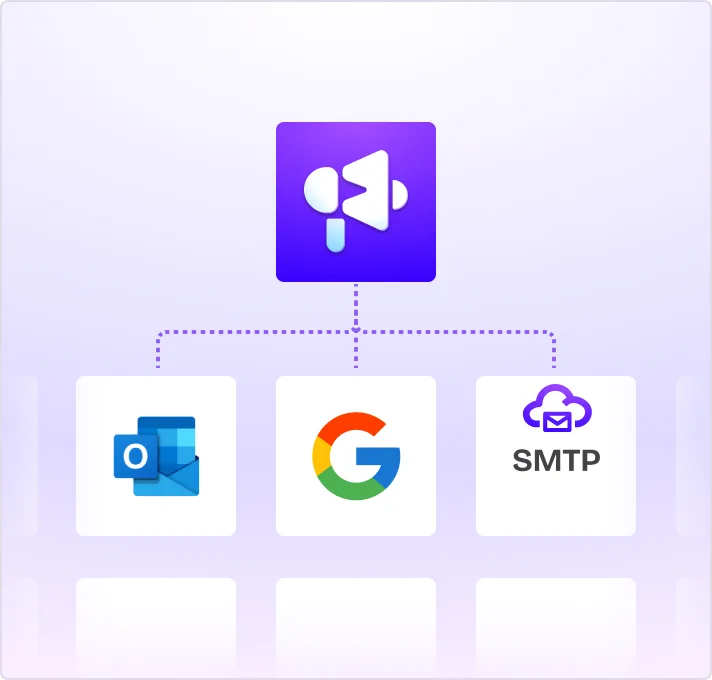
Connect Google, Outlook and SMTP mailboxes in the same account. Image: Smartlead.
Smartlead also does automatic ESP matching. At send time, it picks mailboxes whose provider matches the lead's, so Gmail sends to Gmail and Outlook to Outlook, then uses leftover mailboxes for the remaining leads. There are no documented toggles to configure it.
In September 2026, Smartlead added Mailbox Auto-Replace, which detects burning or expiring mailboxes, orders and warms replacements, and swaps them into campaigns.
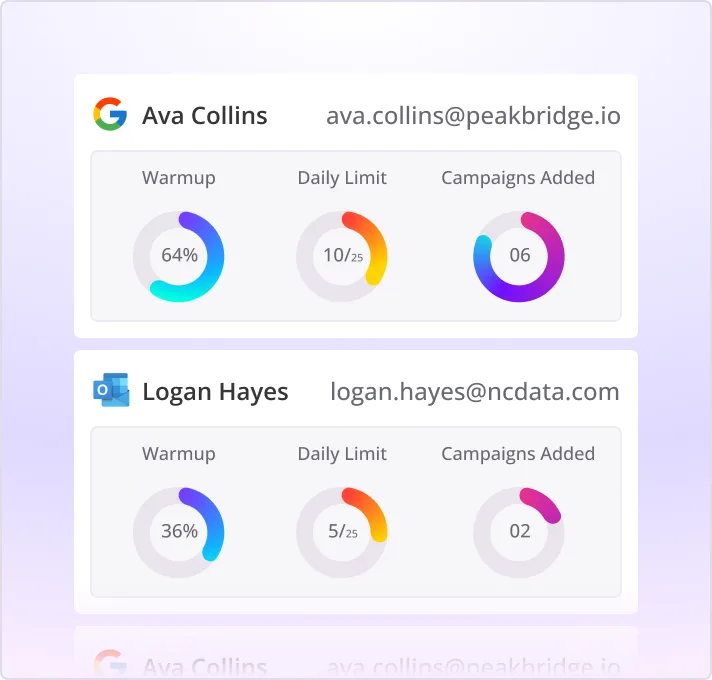
Each mailbox shows its warmup status, daily limit and the campaigns it is attached to. Image: Smartlead.
There is one catch. Smartlead's Fair Use Policy, effective February 1, 2026, lists mailbox caps of 100, 300 and 800 under the plan names Basic, Popular and Pro. Those names do not match the current lineup, and Emelia reads the current plans as uncapped. If your plan depends on hundreds of mailboxes, get your limit confirmed in writing. The same policy caps "unlimited" dialing at 30,000 call minutes per month.
Warmup network
Smartlead's warmup network is reward-based and limited to vetted senders, with "no public sign-ups or bad actors," according to its warmup page. Its AI sends, opens and replies to warmup emails, moves them from spam to the inbox, varies copy and timing, and pauses when bounces spike or spam flags appear. Smartlead does not disclose the size of the network.
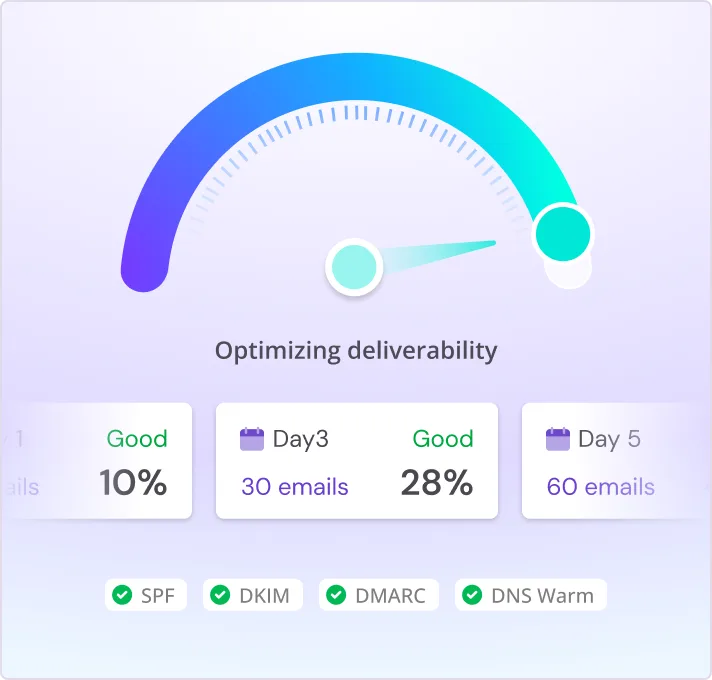
Warmup shows a deliverability score, the daily ramp and authentication checks per mailbox. Image: Smartlead.
Warmup pools are tiered by plan: Foundation on Base, Growth on Pro and Premium on the Unlimited plans, which can qualify for Ultra Premium. Smartlead's guidance is at least two weeks of warmup for existing accounts and one to two months for new domains.
Its API guide recommends 20 to 40 warmup emails per day (40 or fewer for new accounts), a daily ramp-up of 2 to 3, and a reply rate setting of 30 to 40%. One detail people miss: the daily sending cap per mailbox is shared between warmup and campaigns, so warmup volume eats into your sending room.
Master Inbox (Unibox)
Every reply from every mailbox lands in one Master Inbox. You can filter by sender, tag, reply type, campaign or time, assign replies to teammates and leave internal comments. Out-of-office, bounce and unsubscribe replies are detected automatically, and you can bulk reply or forward.
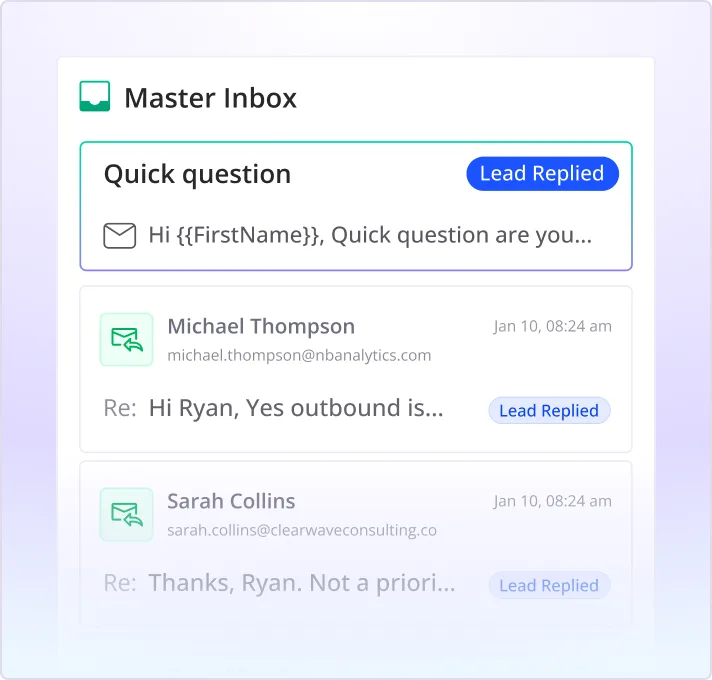
The Master Inbox pulls replies from every connected mailbox into one view. Image: Smartlead.
Replies can also push to a CRM, Slack or Google Sheets, and there are iOS and Android apps.
Sequences, subsequences and spintax
Each sequence step can have its own spintax and A/B variants. Subsequences let you branch leads into new follow-ups based on lead category (such as interested or out of office), keyword matches in the reply, no response, or a bounce, each with its own delay. You can also push leads between subsequences.
Spintax is built into every plan, works in subject lines and bodies alongside merge fields, and has a preview that cycles through variants. If you are writing the steps yourself, our guide to cold email sequences covers structure and timing.
Two cautions. Smartlead's help article does not list opens or clicks as subsequence triggers, and a competitor's test found merge tags render blank when a field is missing. Preview every variant before launch.
A/B testing
Smartlead offers three ways to split tests: a manual equal split, a manual percentage split with up to 10 variants, and AI distribution. AI distribution tests on 10 to 80% of leads and picks a winner on reply rate, positive reply rate, click rate or open rate. We would pick on positive reply rate, since opens are a noisy signal in cold email.
AI features: SmartAgents, categorization and SmartAssistant
SmartAgents, launched in February 2026, are AI operators that manage campaigns, follow-ups and replies, sync with your CRM and monitor mailbox health. They run on a schedule or on events like a reply, and Smartlead does not publish a price for them.
AI lead categorization sorts replies into categories such as interested. Smartlead claims 99.9% accuracy without explaining the method, and its help article says it is not available on Base. SmartAssistant, added in May 2026, is an in-app chat assistant.
SmartProspect lead finder
SmartProspect, launched November 18, 2025, is Smartlead's built-in lead finder. Smartlead describes it as "300M+ verified business profiles," triple-verified through a multi-vendor waterfall, with filters for job role, company size and engagement level.
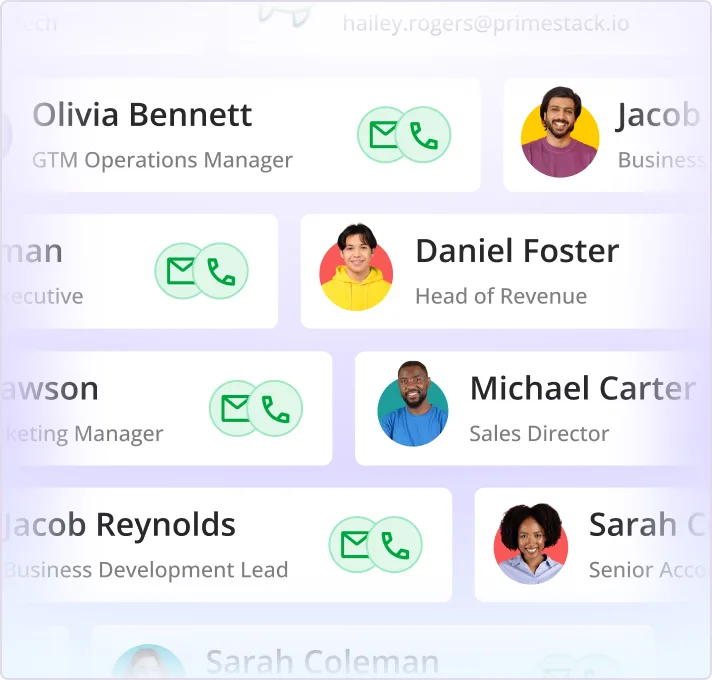
Prospects and contacts stored in Smartlead, with email and phone indicators. Image: Smartlead.
The pricing is unusual. Smartlead calls the leads "free," but Base and Pro pay the $59 monthly upkeep fee after 2,000 starter credits, and your pull is bounded by your plan's verified email allowance. Data quality is unproven: one competitor pulled 635+ contacts and found 65% verified, 6% catch-all, 17% invalid and 12% unknown, and some G2 reviewers list lead data quality as a con. Verify everything before you send.
SmartServers and private infrastructure
By default, sending runs on shared infrastructure. SmartServers give you dedicated, isolated servers and IP pools with ongoing IP reputation management, on a US and EU server grid. Agencies can assign servers to specific clients. Smartlead claims 99.98% uptime but does not publish how many IPs or mailboxes each server supports.
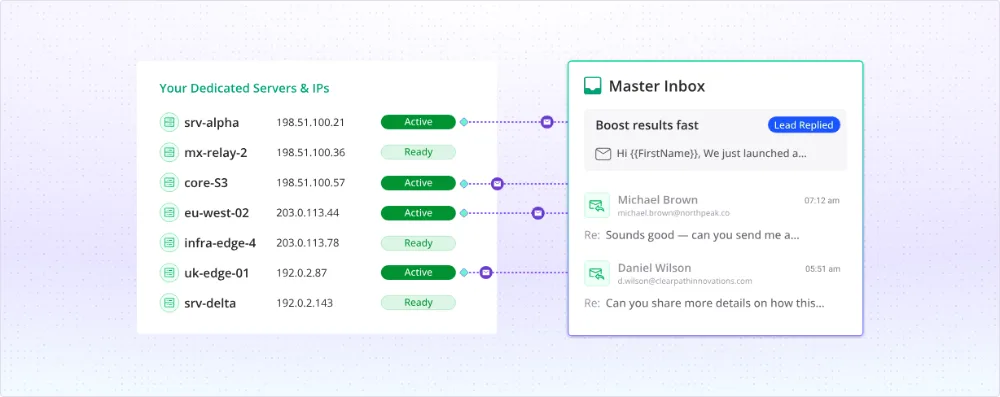
Dedicated servers isolate your sending reputation from other Smartlead users. Image: Smartlead.
At $39 per server per month (three included on Prime), this is how you stop other senders' behavior from affecting yours.
Agency tools: white-label and client workspaces
White-label runs Smartlead on your own domain with your logo. Clients get role-based logins to view reports and campaigns and reply from the Master Inbox, and you set your own client pricing and split lead credits across clients, with no per-seat fees for your team. Each client workspace costs $29 per month from Pro up, and Prime includes three. You can create up to 25 named admin API keys.
Integrations, API and CRM
Smartlead connects natively to HubSpot, Salesforce, Pipedrive and Zoho, plus Zapier, Make, n8n, Slack and Clay. The HubSpot integration creates and updates leads, logs activity and creates deals on chosen categories, but it does not move deal stages. Capterra reviewers report some HubSpot sync failures.
The API covers campaigns, leads, email accounts and webhooks, which fire on replies, bounces, unsubscribes and lead events. API, webhooks and the built-in Kanban pipeline board start on Pro.
Multichannel: calling and LinkedIn
SmartDialer arrived in February 2026 and now supports calls inside sequences, voicemail drop and auto-dialing, with US numbers only. There is no native LinkedIn sending; you connect HeyReach or Aimfox instead.
Deliverability: what Smartlead does and what you still own
Smartlead gives you good tools, but deliverability is still your job.

Smartlead's deliverability features include regional sending infrastructure in the US and EU. Image: Smartlead.
- Custom tracking domain. Add a CNAME so tracked links use your own domain instead of a shared one. Set one per sending domain if you can.
- High Bounce Rate Auto Protection. Pauses a campaign when its bounce rate hits a threshold you set, such as 3% or 5%.
- Community Bounce. Excludes leads that have bounced anywhere in Smartlead's shared database or on major blocklists. The import option that sends to those leads anyway is on by default, so turn it off.
- Insights. Since August 2026, live deliverability monitoring for every mailbox, with one-click reconnect.
- SmartDelivery. A paid add-on for seed-list placement tests across Gmail, Outlook and Yahoo, spam filter tests, content scans, blacklist monitoring across 400+ lists and SPF, DKIM and DMARC checks. The $49 tier is capped at 120 tests even though the product page says "unlimited."
What you still own: clean lists, separate sending domains, authentication, conservative volume and copy that does not read like spam. Smartlead will not fix a bad list. Check your copy against our list of spam trigger words before every launch.
How to set up Smartlead for cold email
Most Smartlead problems come from rushing setup. Follow this order.
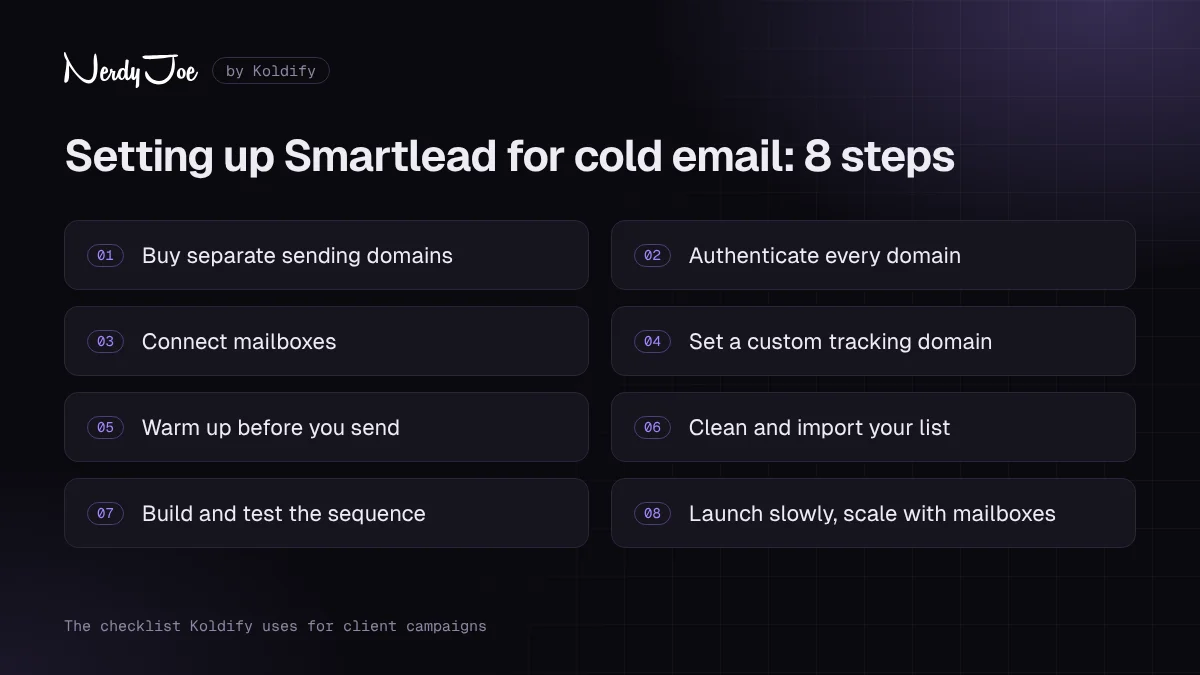
The 8-step Smartlead setup checklist. Follow it in order.
Step 1: Buy separate sending domains
Never send cold email from your main domain. Register a few lookalike domains, redirect them to your main site and keep your primary domain out of cold outreach entirely. You can buy domains inside Smartlead through SmartSenders or anywhere else.
Step 2: Authenticate every domain
Set up SPF, DKIM and DMARC on each sending domain before you connect a single mailbox. Smartlead's warmup view checks these for you, but you still have to configure them at your domain host.
Step 3: Connect mailboxes
Connect your Google, Outlook or SMTP mailboxes. Spread them across domains and keep a mix of providers, since ESP matching sends Gmail to Gmail and Outlook to Outlook.
Step 4: Set up a custom tracking domain
Add the CNAME record from Smartlead's help center for each sending domain. Propagation takes 30 minutes to 24 hours. If you do not need open tracking, consider turning it off entirely.
Step 5: Warm up before you send
Turn on warmup with a slow ramp. Smartlead's own guidance is at least two weeks for existing accounts and one to two months for new domains. Leave warmup running at a lower level after campaigns start.
Step 6: Clean and import your list
Verify every list before import. Turn off the option that imports leads who bounced elsewhere in Smartlead's database, and set High Bounce Rate Auto Protection on the campaign.
Step 7: Build the sequence and test it
Write three or four short, plain-text steps, add spintax and A/B variants, and set subsequences for interested and out-of-office replies. Preview every variant to catch blank merge tags. Our guide on how to write a cold email covers the copy.
Step 8: Launch slowly and scale by adding mailboxes
Smartlead's API guide suggests starting new campaigns at 10 to 15 new leads per day and adding 5 to 10 every few days. Watch bounces and replies by segment for the first week. To grow, add mailboxes rather than pushing more volume through each one.
If you would rather have this built and run for you, book a call with David and Koldify will set it up on infrastructure we manage.
Where Smartlead fits in a cold email stack
Smartlead is a sending engine. Most serious senders pair it with a separate data source and keep the sending infrastructure separate from both.
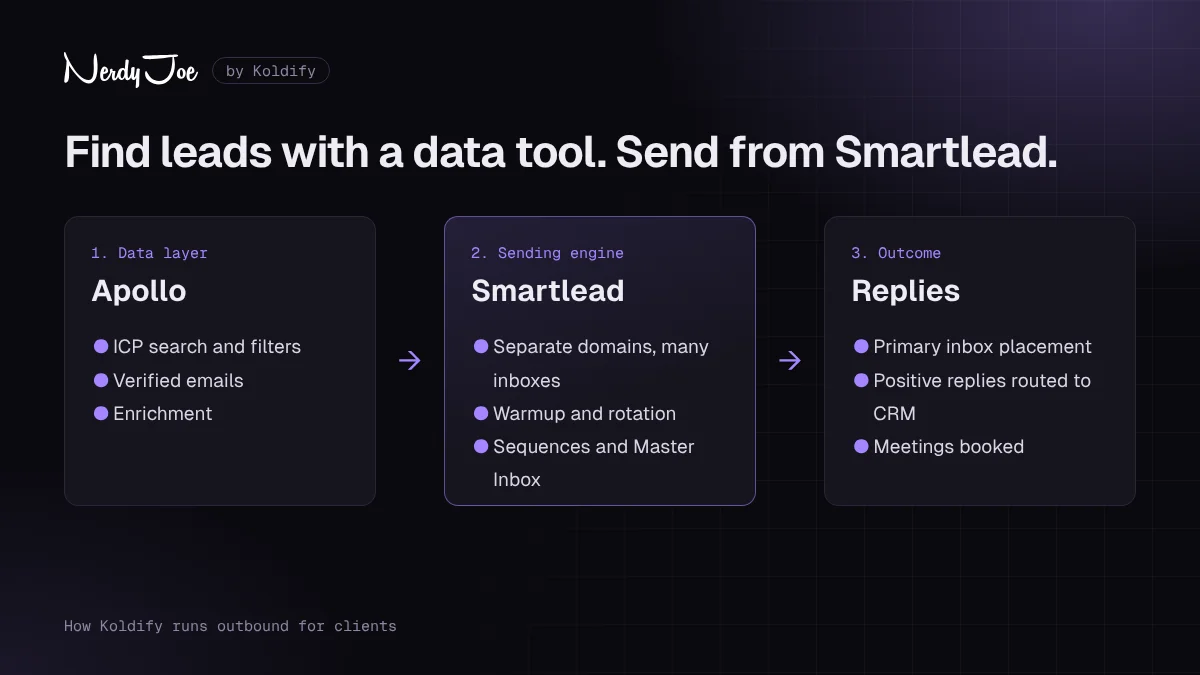
A typical stack: a data tool for prospects, Smartlead for sending, replies routed to your CRM. Want it built for you? Book a call with David.
A common setup looks like this:
- Data layer. Find and verify prospects in a data tool. Nerdy Joe is a certified Apollo.io Managed Services Partner, and Apollo data paired with Smartlead sending is a stack we use often. Our Apollo.io review covers the data side, and you can try Apollo free.
- Enrichment and personalization. Optional tools like Clay add research and custom first lines, which pass into Smartlead campaigns.
- Sending layer. Smartlead handles domains, mailboxes, warmup, rotation and sequences.
- Reply handling. The Master Inbox and AI categorization sort replies, and integrations push interested leads into HubSpot, Salesforce or Pipedrive.
Separate layers mean a burned domain never touches your CRM or main domain.
Pros and cons
Pros
- Unlimited mailbox connections on every plan, so you scale by mailboxes, not seats.
- Vetted warmup network with tiered pools and automatic pauses on bounce spikes.
- Master Inbox that handles replies from every mailbox, with tags, assignment and mobile apps.
- Strong agency tools: white-label on your own domain, $29 client workspaces and up to 25 API keys.
- Useful safety features, including bounce auto-protection, Community Bounce and Mailbox Auto-Replace.
- Rich API, webhooks and native CRM integrations from Pro up.
- Fast product development in 2026, with SmartAgents, SmartDialer and live deliverability monitoring.
- 4.5 out of 5 on G2 from 454 reviews (seen October 2026).
Cons
- Learning curve. It is the most common complaint on G2.
- "Unlimited mailboxes" conflicts with a Fair Use Policy that still lists caps.
- Contact limits on Base and Pro do not reset, which pushes teams to upgrade or delete leads.
- Add-ons stack up fast: mailboxes, workspaces, servers, placement tests, verification and the $59 lead add-on.
- Support, billing and cancellation complaints on Trustpilot.
- Shared sending infrastructure by default. Isolation costs extra.
- No native LinkedIn steps.
- Reporting is built for monitoring, not revenue attribution.
Try Smartlead free for 14 days to see whether the interface works for your team before you commit.
Smartlead vs alternatives
Smartlead's closest rivals all promise volume, but they price and position it differently. Competitor prices below come from 2026 third-party pages because some official pricing pages could not be fetched, so confirm on each vendor's site.
| Tool | Pricing model | Entry price | Mailboxes | Key difference vs Smartlead |
|---|---|---|---|---|
| Smartlead | By contacts stored and sends, plus add-ons | $39/mo (2,000 contacts, 6,000 sends) | Unlimited (see Fair Use note) | Modular suite; white-label at $29 per workspace |
| Instantly | By contacts and emails; lead data and CRM sold separately | Growth $47/mo ($37.60 annual), 1,000 contacts, 5,000 emails | Unlimited, with unlimited warmup | Closest like-for-like option, seen as easier to use |
| lemlist | Per user | Email Pro $69/user/mo | 3 per user on Email Pro | Native LinkedIn steps on its multichannel plan |
| Apollo sequences | Per user, bundled with a contact database | Basic $59/user/mo ($49 annual) | Up to 15 per user, by plan | Data first; sending is secondary |
| Email Bison | One flat volume plan | $599/mo for 500,000 emails | Not capped, per one review | Isolated infrastructure and dedicated IPs included; no lead database |
| PlusVibe | By emails | Personal $37/mo (25,000 emails) | Unlimited | Cheaper per email at mid volume; white-label $29 per client |
Smartlead vs Instantly
This is the comparison most buyers make. Both offer unlimited mailboxes and warmup. Smartlead is cheaper at the entry tier for contact storage and prices agencies per workspace, while Instantly is widely seen as cleaner and easier to learn. One competitor calculated that Smartlead's per-workspace pricing stays cheaper than Instantly's flat Agency Bundle (reported at $500 per month on annual billing) up to about 14 client workspaces. If you run many clients, Smartlead usually wins on price. If simplicity matters most, test Instantly too.
Smartlead vs the rest
lemlist and Apollo charge per user and limit mailboxes per seat, which gets expensive at volume. Many teams use Apollo for data and Smartlead for sending. Email Bison trades a high flat price for isolated infrastructure, while PlusVibe undercuts on cost per email at mid volume.
Ratings and what users complain about
Here is how Smartlead scores on the major review sites, all checked October 15, 2026:
| Platform | Score | Reviews | Note |
|---|---|---|---|
| G2 | 4.5 / 5 | 454 | Most reviews praise deliverability and multi-mailbox management |
| Capterra | 4.3 / 5 | 7 | Ease of Use 4.9, Customer Service 4.0; very small sample |
| Trustpilot | 2.9 / 5 | 141 | 45% five-star and 47% one-star |
On G2, users praise deliverability, warmup and managing many mailboxes from one dashboard. Trustpilot is polarized, with almost as many one-star as five-star ratings. Other 2026 reviews cite slightly different figures, so expect these to move.
The most common complaints:
- Learning curve. About six of ten visible G2 reviews mention feeling overwhelmed, and a Trustpilot reviewer in October 2026 called the new interface frustrating.
- Support. Trustpilot reviewers describe slow, repetitive or bot-like responses. One said they lost 23 days getting started. G2 reviews skew more positive on support.
- Billing and cancellation. Several Trustpilot reviews from August and September 2026 report trouble cancelling and continued charges.
- Bugs. Capterra reviewers mention a campaign marked complete before emails went out, a DKIM detection bug and HubSpot sync failures.
- Pricing structure. Contact-based limits and stacking add-ons frustrate some users.
Our read: the product is strong, and most complaints are about the company around it. Start monthly and document any cancellation.
Tips to get more from Smartlead
- Set bounce auto-protection on every campaign. A 3% threshold is a sensible start.
- Remember warmup shares the daily cap. Plan sending volume around it.
- Watch contact storage on Base and Pro. Delete finished leads before you hit the ceiling.
- Pick A/B winners on positive replies, not opens.
- Delete unused SmartSenders mailboxes. They keep billing until you do.
Who should hire it out instead
Smartlead is a tool, not a result. Running it well means weekly work on domains, warmup, lists, copy and replies. If someone technical can own that, it is excellent value.
If you do not, mistakes are expensive: a rushed launch can burn domains, and no tool will tell you your offer is weak. Our guide on how to hire a cold email agency lists the questions to ask.
Koldify is the agency behind Nerdy Joe. We build the sending infrastructure, write and test the campaigns and run them on Smartlead and other platforms, so your team only handles the replies. If that sounds better than learning Smartlead yourself, book a call with David. You can also read more about our cold email services.
Final verdict
Smartlead is one of the strongest cold email platforms for agencies and high-volume senders in 2026. You get unlimited mailbox connections, a vetted warmup network, a capable unified inbox, serious agency tools and a fast-moving product, at prices that scale by volume rather than seats. We give it 4.3 out of 5.
It is not perfect. It takes time to learn, add-ons inflate the real cost, the "unlimited mailboxes" promise has a fair-use asterisk, and support and billing reviews are split. Go in with clear eyes, start monthly, and set up deliverability properly from day one.
If that fits, start your Smartlead free trial, connect a few warmed mailboxes and run one small campaign before you choose a plan.
Sources
- Smartlead homepage
- Smartlead pricing page
- Smartlead pricing.md
- Smartlead Fair Use Policy
- Smartlead email warmup
- Smartlead unified inbox
- Smartlead SmartProspect lead finder
- Smartlead email deliverability test
- Smartlead cold email infrastructure
- Smartlead APIs and automation
- Smartlead power dialer
- Smartlead white-labelling
- Smartlead blog: What is spintax
- Smartlead Help Center: SmartAgents
- Smartlead author page: Vaibhav Namburi
- Smartlead API introduction
- Smartlead API guide: email warmup
- Smartlead changelog
- Smartlead announcements
- Smartlead Help Center: Pricing plans
- Smartlead Help Center: Free trial limitations
- Smartlead Help Center: ESP matching
- Smartlead Help Center: Subsequences
- Smartlead Help Center: A/B testing
- Smartlead Help Center: High Bounce Rate Auto Protection
- Smartlead Help Center: Community Bounce
- Smartlead Help Center: Custom tracking domain
- Smartlead Help Center: AI categorization
- Smartlead Help Center: HubSpot integration
- G2: Smartlead reviews
- Capterra: Smartlead reviews
- Trustpilot: Smartlead reviews
- OutboundSync: Smartlead partner spotlight
- GetLatka: Smartlead
- Emelia: Smartlead pricing
- Amplemarket: How much does Smartlead really cost
- Landbase: Smartlead pricing
- Valley: Smartlead pricing explained (2026)
- Valley: Smartlead alternatives (2026)
- Saleshandy: Smartlead review
- Saleshandy: Smartlead vs Instantly
- Landbase: Instantly pricing
- Mailmeteor: lemlist pricing
- Knock AI: Apollo pricing
- Apollo Knowledge Base: Email sending limits
- Email Bison pricing
- SendKit: Smartlead vs Email Bison
- G2: PlusVibe pricing
Frequently asked questions
Is Smartlead free?
No. Smartlead has no permanent free plan. It offers a 14-day free trial with no credit card required, limited to 2,500 email sends (warmup emails do not count) and 1,250 contacts. You can connect unlimited mailboxes during the trial, and white-labeling is the only feature excluded.
How much does Smartlead cost?
As of October 2026, Smartlead's plans are Base at $39 per month, Pro at $94, Unlimited Smart at $174 and Unlimited Prime at $379. Annual billing saves 17%, bringing them to $32.50, $78.30, $144.50 and $314.60 per month. Add-ons such as mailboxes, client workspaces, dedicated servers and placement testing cost extra, so confirm current prices on Smartlead's pricing page.
Smartlead vs Instantly: which is better?
They are the closest like-for-like competitors. Both offer unlimited mailboxes and warmup. Smartlead is cheaper at the entry tier for contact storage and has per-workspace agency pricing at $29 per client, while Instantly is widely seen as easier to use with a cleaner interface. Agencies managing many clients often lean Smartlead; solo senders who want the simplest setup often lean Instantly.
Is Smartlead legit and safe to use?
Yes, Smartlead is a real, established cold email platform, founded by Vaibhav Namburi and based in Sydney, Australia. It holds 4.5 out of 5 on G2 from 454 reviews (seen October 2026). Its Trustpilot score is much lower, at 2.9 out of 5 from 141 reviews, driven by billing, cancellation and support complaints, so start monthly and read the cancellation terms.
Does Smartlead really have unlimited mailboxes?
Smartlead's pricing page says all plans include unlimited email accounts at no extra cost. However, its Fair Use Policy, effective February 1, 2026, still lists caps of 100, 300 and 800 mailboxes under older plan names that do not match the current lineup. If you plan to connect hundreds of mailboxes, confirm your limit with Smartlead in writing before you build.
How does Smartlead warmup work?
Smartlead's warmup network is limited to vetted senders. Its AI sends, opens and replies to warmup emails and moves them from spam to the inbox, and it pauses when bounces spike. Smartlead recommends at least two weeks of warmup for existing accounts and one to two months for new domains.
Does Smartlead have a lead finder?
Yes. SmartProspect, launched in November 2025, is Smartlead's built-in lead finder. Smartlead describes it as 300M+ verified business profiles with filters for job role, company size and engagement level. It is included on Unlimited Smart and Prime and costs $59 per month on Base and Pro, with 2,000 free starter credits.
Does Smartlead offer white label?
Yes. Smartlead's white-label lets agencies run the app on their own domain with their own logo, give clients role-based logins and set their own client pricing. It costs $29 per client workspace per month from the Pro plan up, and Unlimited Prime includes three workspaces.